
AI Superuser Habits for HR
Better prompts. Sharper judgment. Work that sounds like you.
From the Field
Where HR teams are right now
During Clarinet + HRCI's May 15th webinar with 3,000+ HR leaders, we polled the audience on where their organizations sit on AI adoption, what they've built so far, and what's actually blocking their next step. Here's what they told us, and what it means for the habits in this guide.
58%
OF HR LEADERS' ORGS ARE PASSIVE OR REACTIVE REGARDING AI ADOPTION
Most organizations are still figuring this out.
About a quarter of HR leaders told us their org is Passive when it comes to AI adoption— no official stance, people exploring on their own. A third are Reactive, tools rolled out mostly to keep up. Another third are Proactive, investing in literacy and workflow redesign. Only 7% are AI Native. If you feel behind, you're not. The bigger question is which direction you're moving.
See the habits that move teams from Reactive to Proactive71%
OF HR LEADERS HAVE NEVER BUILT A BASIC AGENT
Almost no one has built an agent yet.
When we asked HR leaders about their experience with basic agents — CustomGPTs, Gems, Claude Skills — 71% had either never tried or didn't know what they were. Only 12% had built something useful. The good news: this is one of the highest-leverage skills you can develop right now, and the learning curve is shorter than it looks.
Learn about the three different types of agents46%
SAY SKILLSET IS THE BIGGEST HURDLE
The hurdle isn't permission. It's skill.
When HR leaders told us what's blocking their next AI use case, 46% said skillset — they don't yet know how to prompt or build workflows. 30% said focus — too many options, no clear starting point. Only 17% pointed to permission, and 7% to data. The tools are available. The use cases are obvious. The leap from 'I could use this' to 'I'm using this well' is where most HR teams stall.
Learn how to build a Voice Twin agentWebinar
Watch the Session
The full conversation on building AI Superuser habits across your team.
The full webinar recording is hosted on Zoom.
Watch on-demandConcept
What is an AI Superuser?
Someone who reclaims 30%+ of their time and energy by using AI—while exceeding quality standards.
You don't need to know every feature or use every tool. Superusers focus on skills and habits that consistently deliver results.
Reclaims Time
Automates repetitive tasks to focus on high-value, creative work.
Exceeds Quality
Uses AI as a thinking partner to produce better outputs, not just faster ones.
Builds Habits
Develops repeatable workflows that compound productivity gains over time.
Framework
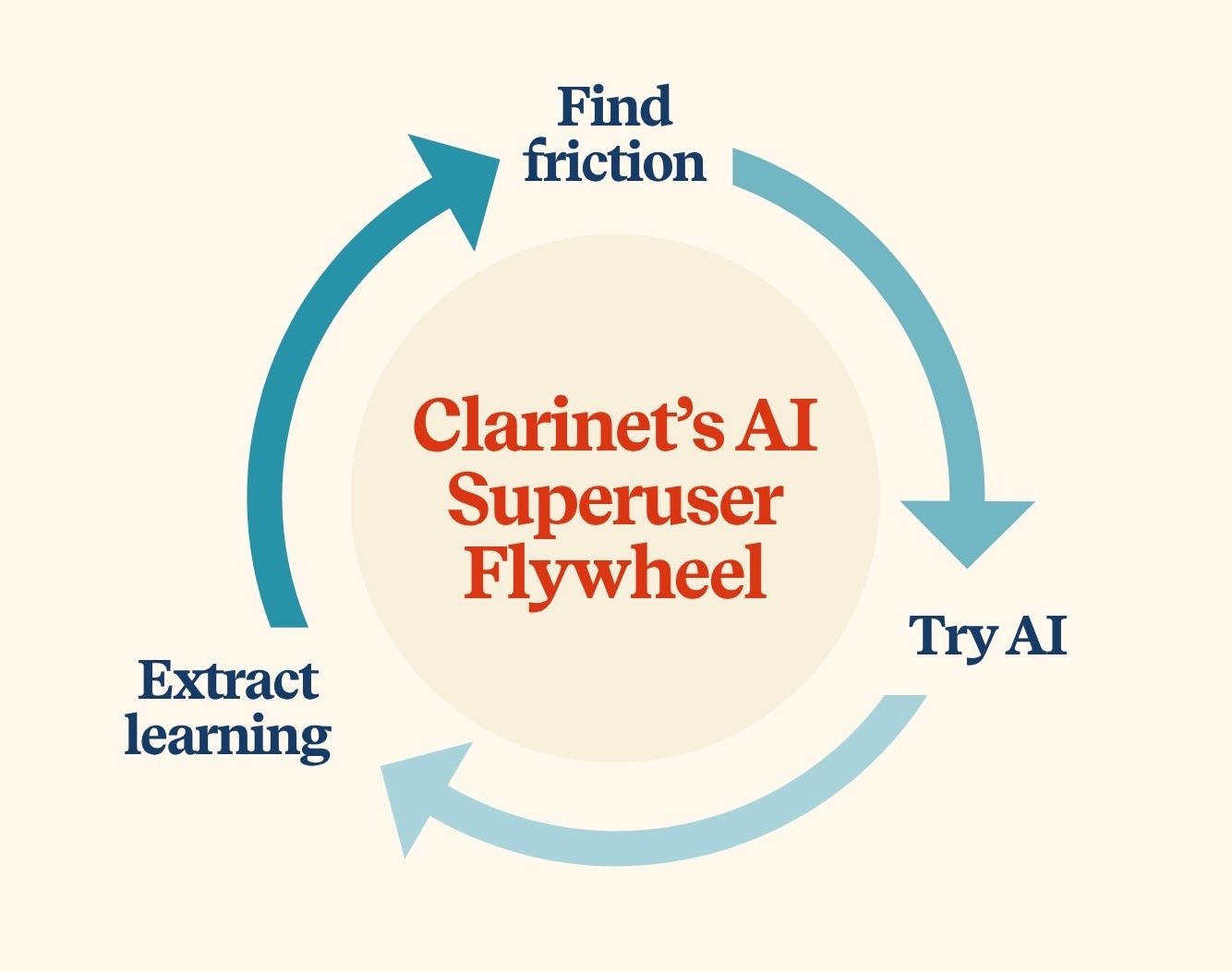
The AI Superuser Flywheel
The three habits that keep superusers continuously improving:
The Flywheel Prompt
"I need to do [X]. How can you help me with this?"
Try it now!
This simple prompt reveals approaches you might not have considered and teaches you how to use AI more effectively.
Model
The AI Leverage Ladder
More complex AI is not always more valuable. In practice, the strongest ROI often comes from the middle of the ladder — especially from basic agents and practical workflow support — not from the most advanced autonomous systems.
01
Ad Hoc AI
Starting fresh every prompt.
02
Repeatable Workflows
Saved workflows, prompt sequences, and standardized outputs.
03
Persistent Context
Connectors / MCPs, Projects, memory.
04
Basic Agents
CustomGPTs, Gems, Claude Artifacts.
05
Agentic Workflows
Automations that include agents or multiple agents.
06
Autonomous Systems
Self-directing systems with Human-in-the-Loop checkpoints.
Lower leverageHigher leverage
Taxonomy
Three Types of Agents
Not all agents are the same and you do not need to start with the most complex setup. Practical, high-leverage use (often with basic agents) offers an accessible way to create repeatable value without over-engineering.
01
Basic Agent
Self-contained reasoning node — a pre-loaded chat with instructions and context.
In HR: A CustomGPT trained on your handbook that answers employee policy questions.
02
Agentic Workflow
Linear workflow that incorporates AI judgment during specific steps.
In HR: A hiring workflow where AI screens resumes, drafts outreach, then routes to a recruiter for the final call.
03
Autonomous Agent
Self-directing system that decides what steps to take and when.
In HR: A system that monitors engagement signals, drafts intervention plans, and routes them to the right managers without prompting.
From our webinar
71% of HR leaders we surveyed had never built a basic agent. If that's you, you're in the majority — and you're about to leapfrog.
Playbook
Create Your Voice Twin
A voice twin is a basic agent that writes the way you write. Drop in messy notes, get back a draft that sounds like you — not like generic AI. Build it once, refine it over time, and reclaim hours every week from drafting work.
01
Build it
Set it up in under 15 minutes.
- 1. Open the agent builder in your LLM of choice.
ChatGPT → Custom GPTs · Gemini → Gems · Claude → Skills · Copilot → Agents
- 2. Define the job. Tell the agent what it is and what success looks like. Use this as a starting point:
You are my voice twin and expert at turning my messy notes into polished writing.
- 3. Provide the playbook. Feed it the raw material it needs to sound like you: a short style guide, writing samples, audience notes, background docs, and — if you want it to capture how you actually talk — transcripts.
I need to create a writing style guide for a basic agent I'm building. How can you help me do this?
- 4. Build the style guide. A few ways to do this fast: upload examples of writing you like, ask AI to scan recent emails or docs for patterns, or paste in transcripts to capture your spoken voice.
- 5. Save the agent. Drop the job description and style guidance into the background instructions. Save.
02
Train it
Most people stop too early. This is where the agent gets good.
Once the agent is saved, run it through what we call 3-2-1 agent training — a short, deliberate testing pattern that surfaces where your agent works and where it breaks.
3
Common use cases
Run the agent on the kinds of tasks you'll actually use it for most often.
2
Edge cases
Try situations that stretch the agent's instructions — a different audience, an unusual tone, a topic outside its comfort zone.
1
Wild card
Throw something genuinely weird at it. See what happens.
Each test tells you something the instructions are missing.
03
Refine it
Use AI to fix AI.
When the output is too long, too cheerful, off-tone, or just wrong — don't rewrite the instructions yourself. Paste them into AI and ask for help. This is the move most people skip, and it's what separates a clunky first draft from an agent you actually trust.
Here are my current agent instructions: [paste]

The output is [too long / too formal / missing X / hitting the wrong tone].
Suggest three specific revisions to fix this, and explain what each change does.
The Compound Effect
Your voice twin gets sharper every time you correct it. After a few weeks, it stops feeling like a tool and starts feeling like a teammate who knows how you think.
Tool
AI Discovery Matrix
Four ways AI shows up in People work. Click a card to see real HR use cases.
Analyst
AI helps you gather and make sense of information to inform decisions.
Click for examples
Analyst Examples
1. Engagement Comment Analyzer
Analyze survey comments and receive thematic breakdowns with sentiment nuance and recurring concerns.
2. Hiring Funnel Drop-Off Review
Analyze recruiting funnel metrics to find bottlenecks by role, stage, or source.
3. Compensation Pattern Checker
Review comp data to flag internal equity risks and inconsistent leveling signals.
Click to flip back
Thought Partner
AI helps you explore ideas by asking questions, testing assumptions, and expanding options.
Click for examples
Thought Partner Examples
1. Future Skills Explorer
Brainstorm skill investments needed over the next 2–3 years based on strategy and tool adoption.
2. Policy Gap Identifier
Review policies and surface inconsistencies, outdated language, or missing FAQs employees will ask.
3. Workforce Scenario Planner
Model headcount adjustments under different business conditions and identify second-order impacts.
Click to flip back
Automation
You design the process and review results; AI handles repetitive, rule-based workflows.
Click for examples
Automation Examples
1. Onboarding Checklist Generator
Generate role-specific onboarding plans with week-by-week focus areas and checklists.
2. JD Standardizer
Turn rough hiring notes into polished job descriptions aligned to consistent structure and expectations.
3. Performance Review Template Builder
Create structured review templates with behavior-based prompts and examples.
Click to flip back
Assistant
You know what you're doing; AI helps you get it done faster by drafting, summarizing, or formatting predictable work.
Click for examples
Assistant Examples
1. Recognition Note Writer
Draft personalized appreciation messages that feel specific and human (not generic).
2. Manager Conversation Prep
Generate talking points and a simple structure for difficult conversations (feedback, performance, comp).
3. Policy Change Communicator
Turn policy updates into employee-facing announcements plus FAQs.
Click to flip back